Post and AOVs Overview

About This Guide
This is part of a conceptual, DCC-agnostic series on how OctaneRender works. This guide looks at AOVs and post production.
This guide is also available in 📄 PDF format here
Intro and Overview
Post-processing is the act of taking the rendered pixels that come out of Octane and further altering them. This is done to either enhance or fix things that are just easier to edit after the fact.
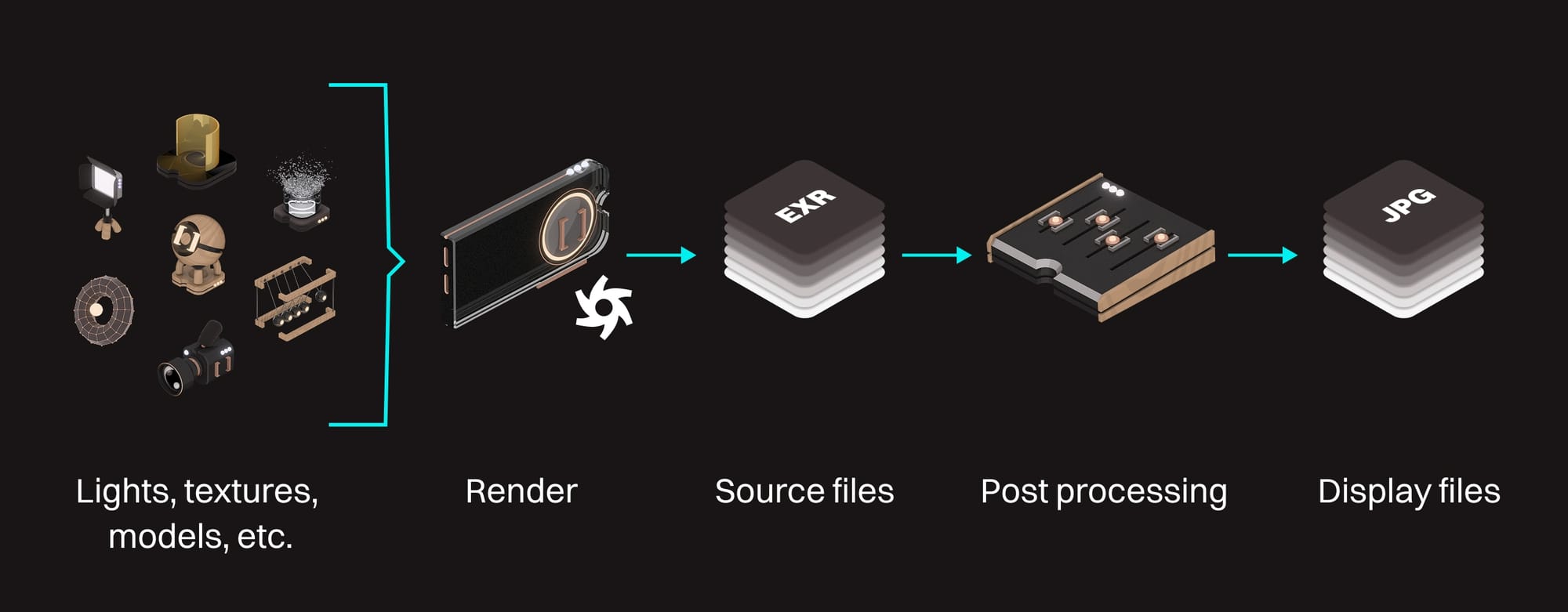
The post workflow ideally looks like this:
- OctaneRender takes all the geometry, lights, materials, settings, and everything else we put in our scene, does a bunch of calculations, and renders it. This produces a large set of pixel data that contains way more values than we can possibly display.
- This large data set is altered, post render. This usually involves things like color grading, masking and compositing, altering lighting or color values, etc. Because we have a ton of data to work with when we use the original large set from the render, we have a lot of flexibility in these edits.
- The post-processed large data set is then reduced down to a small set that can be displayed on our target device. Once it's in this form, it's a lot leaner and more efficient, but much more difficult to further alter without breaking it.
- Ship it.
We can do our post-production editing in an external app like Fusion, DaVinci Resolve, Premiere, After Effects, etc., and/or we can do it directly within Octane using the Output AOV system.
AOVs|AOVs
AOVs (Arbitrary Output Variables), also known elsewhere as "render passes", are just subsets of the final chunk of rendered data.
Most AOVs are automatically created during any render as part of all the calculations. Usually they just get merged into what we call the "beauty render", but if we flip a few switches, we can have Octane show and save them separately as well.
There are typically two different stacks of AOVs that form the beauty render when they're combined in post:
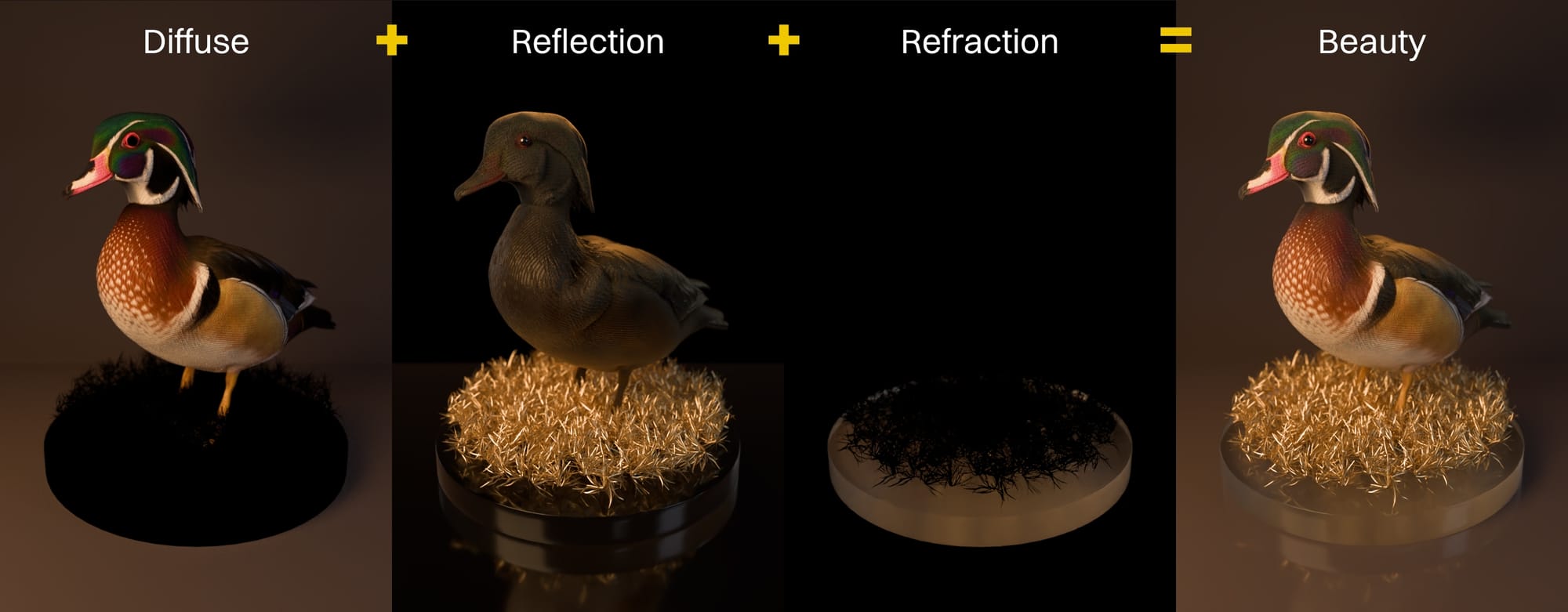
- Beauty passes or material passes contain different properties of the materials like diffuse, reflection, refraction, emission, and a bunch of others that should sound familiar after learning about material channels. We need to have one AOV for every property to have a complete stack. In the example above, there are only diffuse, reflection, and refraction properties, so this makes a full stack. Other renders will have SSS or emission or something else, so those AOVs need to be included in the stack for those renders.
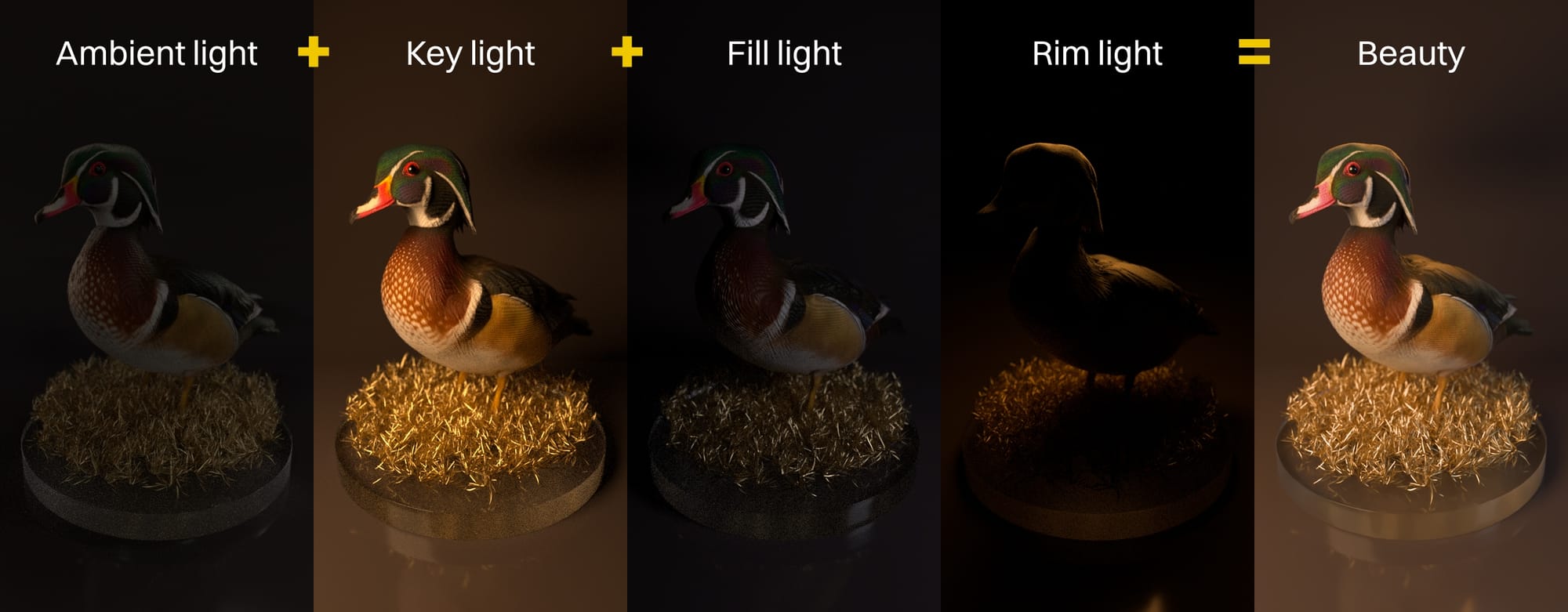
- Lighting passes split the beauty render into individual light sources in the scene. There's the contribution from the environment, emission, and however we choose to split up the physical lights (sometimes one light per pass, sometimes multiple lights per pass). When all these are combined, they form the same beauty render as the beauty/material passes do. In this example there's contribution from the environment (ambient light), and three physical lights, each on their own pass. When all four are combined, we get a full beauty render.
In addition, we can also render out utility passes. These are things like masks, depth data, normal direction, and a number of others that make adding effects in post far easier. Once we get good at this, we can even define our own passes that save data in a way that works with a custom tool in a different app.
Great.
Post in Octane|Post in Octane
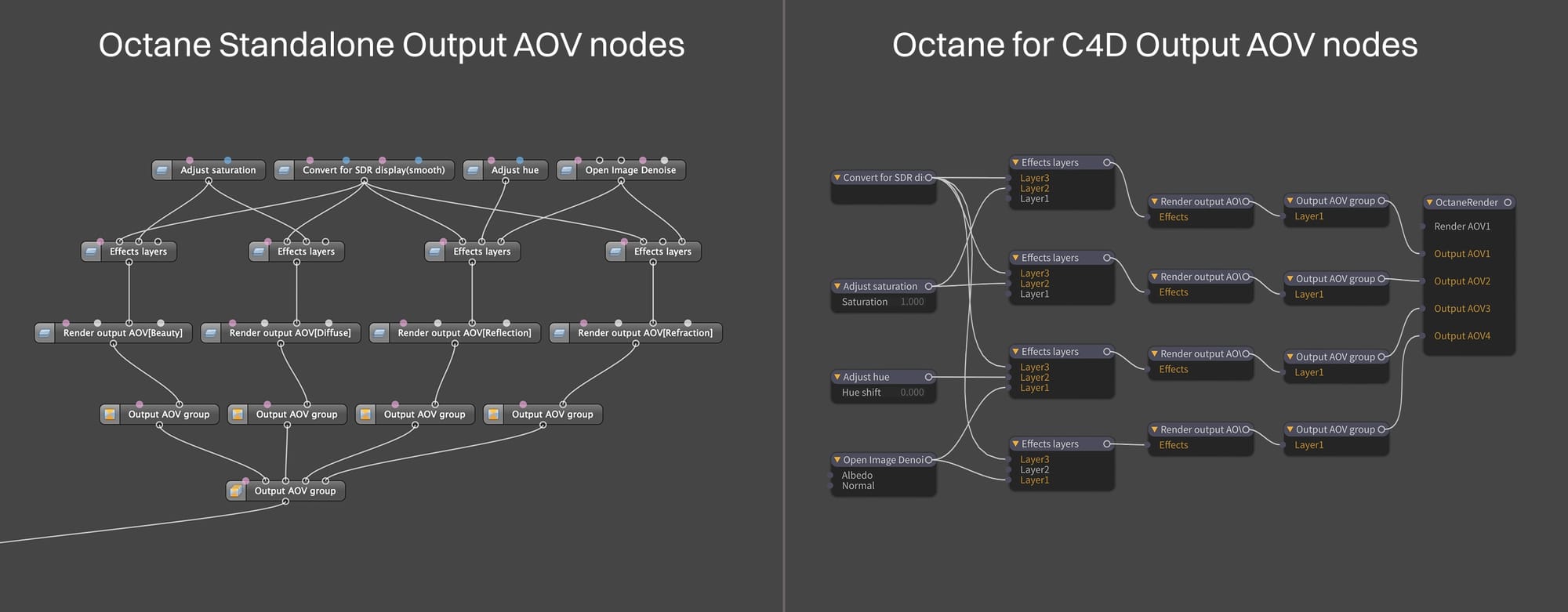
While still in Octane, once the beauty and/or light AOVs have been rendered, they can be accessed in the Output AOV system. This uses the same node editor that we used to edit materials, but we can now see each of our AOVs represented as nodes. They can be combined and altered in various ways using a set of special AOV-specific nodes to either give us a final look, or several options for a final look.
The ...uh... beauty of doing this all within Octane is that there's no annoying round tripping. If we start altering our render and suddenly realize that we forgot to swap a piece of geometry or a texture in a material, we can just fix it right there, and the output AOVs immediately update to match. In fact, we can keep messing with the AOVs as the render is happening, so we don't even have to wait for the whole thing to finish to keep working.
Octane itself has a special set of nodes (Convert for SDR) to convert the original large data sets that the AOVs use down to a smaller set used for display files. Octane currently allows us to use ACES, AgX, Basic, Smooth, or custom OCIO tone mapping via these nodes.
Post in Post|Post in Post
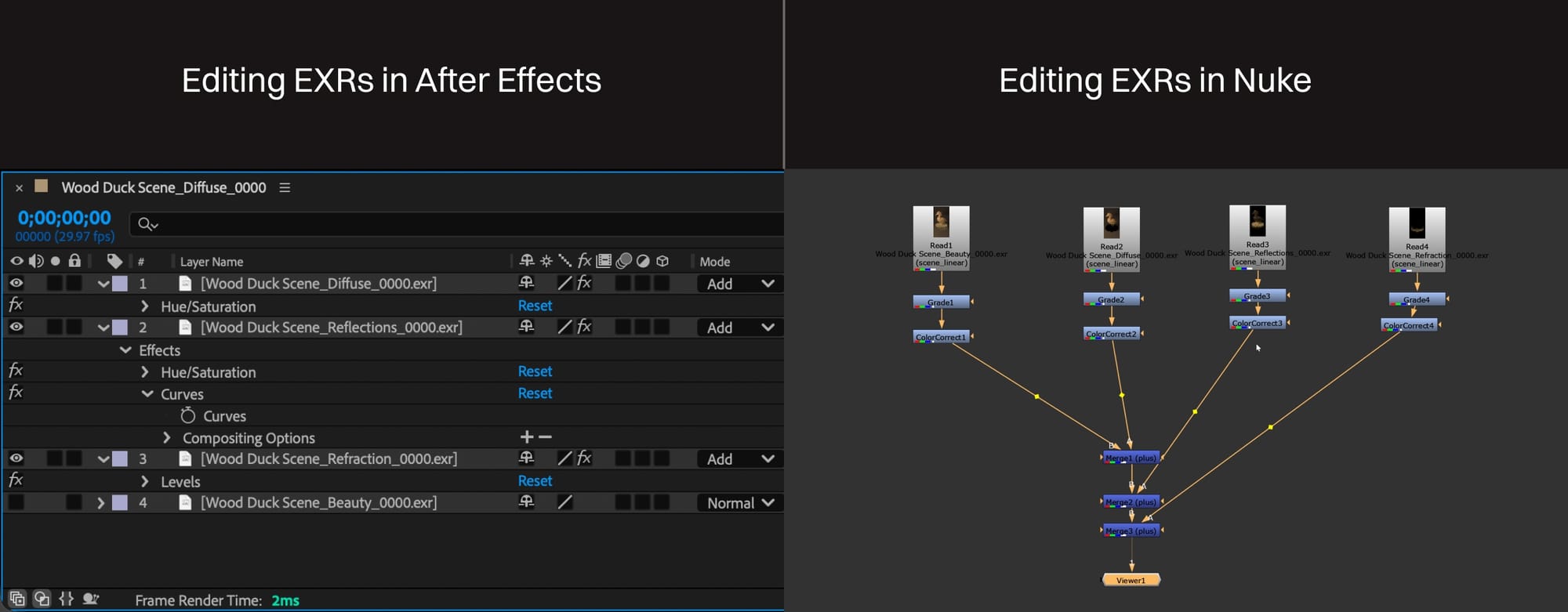 The AOVs Octane generates can also be shipped off to a dedicated post app like DaVinci Resolve, After Effects, Premiere, Fusion, and several others. This is most commonly done via EXR format, which was designed specifically for this. The original large data set in the EXR files are manipulated in the dedicated post app, and then compressed down to the smaller set for display.
Important: Octane does not use RGB values when rendering - it uses spectral data instead. Unfortunately, no post app uses spectral data, so Octane has to convert it to RGB values in a standard working color space before packaging it up and shipping it off. Octane supports all the major ones (and more through OCIO), so that's not an issue, we just need to know what the post app is expecting and provide the files using that color space.
The advantages to a dedicated professional post application is that it's quite a bit more robust and powerful. There are things you can do that you simply can't do in Octane's AOV system. It also integrates better with live footage for compositing and other more complex tasks. Finally, it's often the best way to work in a team environment where one person might be solely responsible for post and not have or need a 3D app.
There's also a "best of both worlds" approach where an initial post pass is done in Octane, and then those modified AOVs (without converting for SDR) are exported to be further processed in an external app. The sky's the limit.
Wrap Up
So that's the whole process, end-to-end. Not so bad, right? The next guide talks a bit about making this whole thing faster and more efficient, which is usually better than buying new hardware.