Environment and Lights Overview
About This Guide
This is part of a conceptual, DCC-agnostic series on how OctaneRender works. This guide looks at how lighting and emission is handled.
This guide is also available in 📄 PDF format here
Lantern by Polyhaven
Intro and Overview
Light is the most important thing when using Octane to produce visual images. Without it, the fanciest geometry with the most beautiful materials just renders as a black void.
Lighting in Octane (like most render engines and 3D apps) is achieved via two interrelated concepts, environments and physical lights. These objects exist as nodes in Octane Standalone and some DCCs. In others, they'll also be integrated into the native objects in the DCC. It's just one of those integration quirks you'll have to learn when you move to a different plugin.
Environments|Environments
An environment is a bizarre, infinitely large sphere that always stays centered on the active camera and never scales no matter how much we move around in it. It takes some getting used to. It's typically used to provide some base lighting and things to reflect and refract in the scene, but it can also contain fog or provide a visible backdrop.
Octane requires an environment. If one isn't specified, Octane will fall back on a white, evenly-lit default environment. The color of this fallback environment can be changed in the global settings.
There are three nodes that create an environment:
Texture Environment
This is a big sphere that we can put a texture on. A new environment comes with a single RGB color (white), but we can replace that with a gradient, a checkerboard, an image, or anything else we want.
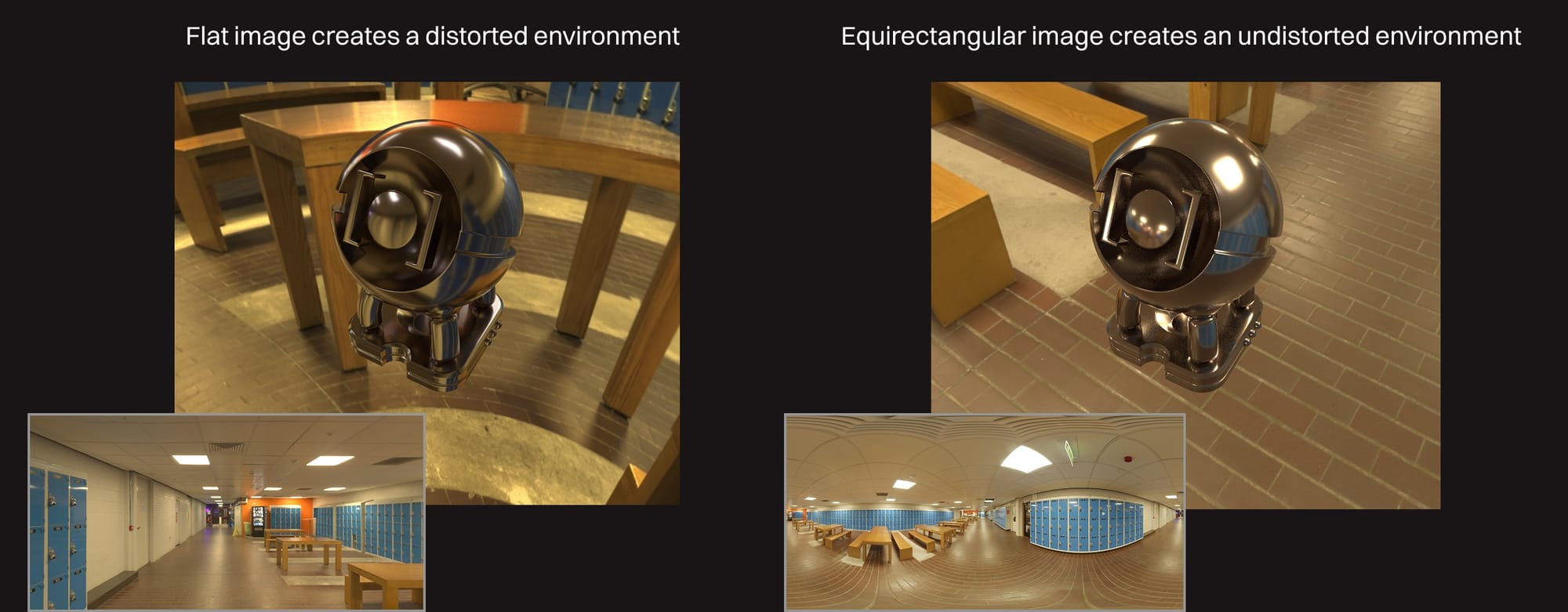 HDRI: Newman Cafeteria @ PolyHaven
Two catches though:
- Environments use spherical projection, so a flat, rectangular texture will distort in weird ways when applied to it.
- Image textures in environments are used for lighting, not just to look pretty, so they need to contain a lot more dynamic range than a standard JPEG or PNG to work properly.
Fortunately, there's a type of image that addresses both of these issues called an HDRI. It's already pre-distorted in an equirectangular fashion and uses the correct 2:1 aspect ratio so that when it's mapped to our sphere, it looks right. It's also HDR (high dynamic range) so it provides all the data we need to properly light a scene without blowing anything out.
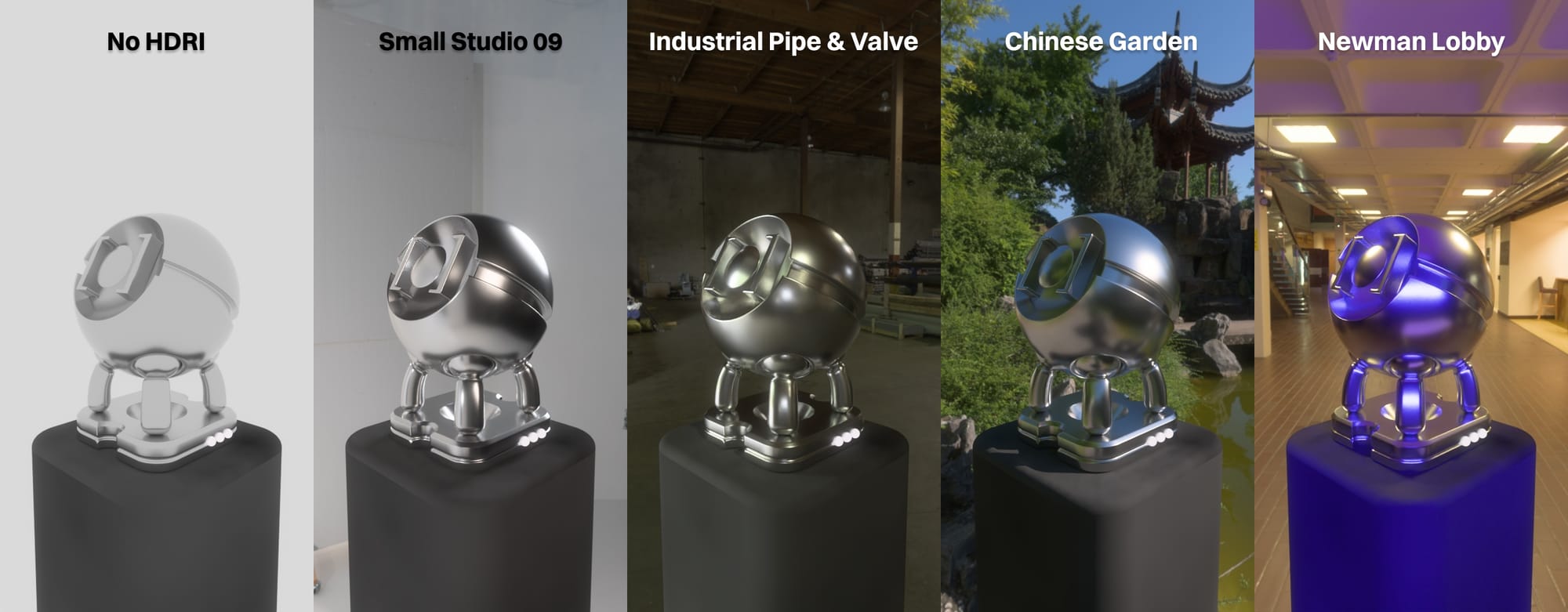 HDRIs PolyHaven
HDRIs are reasonably easy to find, but there's an absolutely amazing free resource called Poly Haven (source for the HDRI above) that provides a ton of high quality ones under a CC0 license so they can be used commercially or personally.
Important: Sometimes we'll encounter JPEGs or PNGs out in the wild that have the right aspect ratio and equirectangular distortion so that they appear to be HDRIs, but they lack the "HDR" part (dynamic range) that makes them good for environmental lights. If they're not .HDR or .EXR format, they'll probably cause rendering problems.
While OctaneRender itself only has one node for a texture-based environment called "Texture Environment". Some DCCs like C4D have a dedicated preset that combines it with an Image Texture node set up to work properly with an HDRI.
Daylight and Planetary Environments
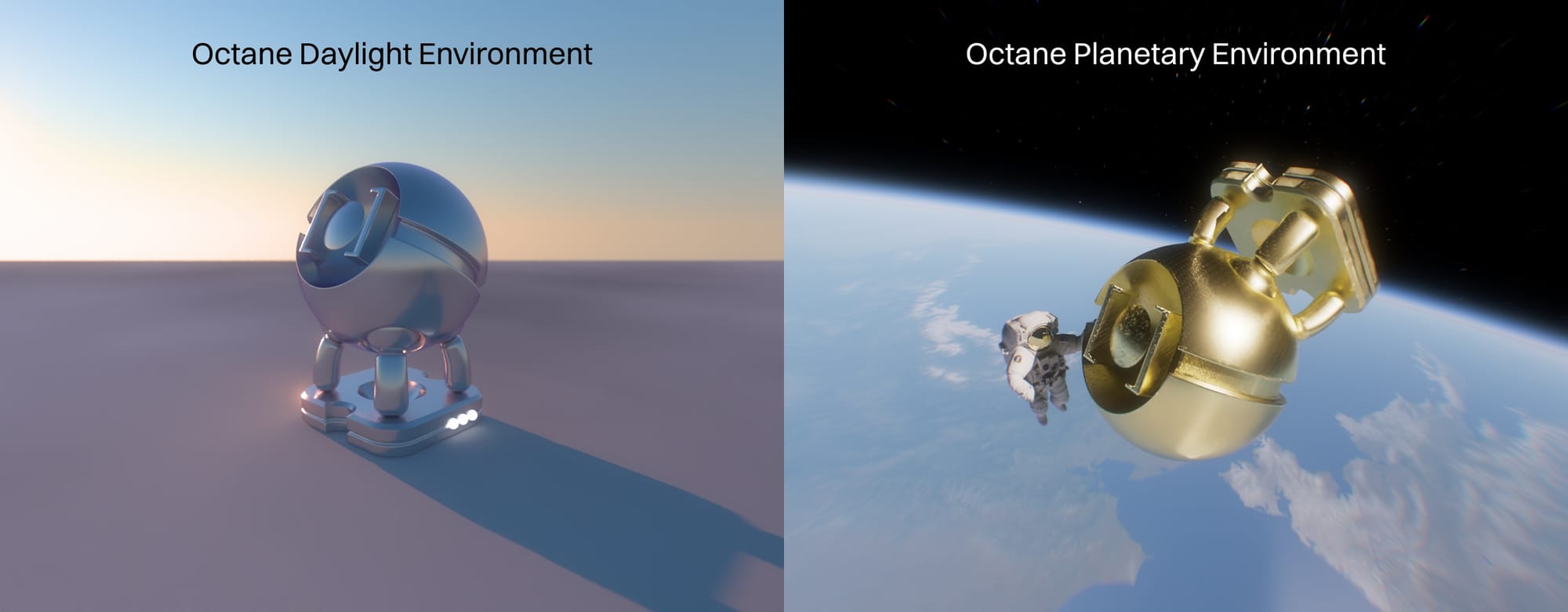 Earth Texture: NASA
The Daylight environment simulates a physically accurate sun and sky. It's great for outdoor scenes or interiors where sunlight is coming in through windows.
Earth Texture: NASA
The Daylight environment simulates a physically accurate sun and sky. It's great for outdoor scenes or interiors where sunlight is coming in through windows.
The Planetary Environment is kind of a niche thing used to simulate planets from space. It uses a special sky model (Nishita), and creates the planet as a texture effect rather than geometry, so it can be a little fiddly to set up.
Physical Lights|Physical Lights
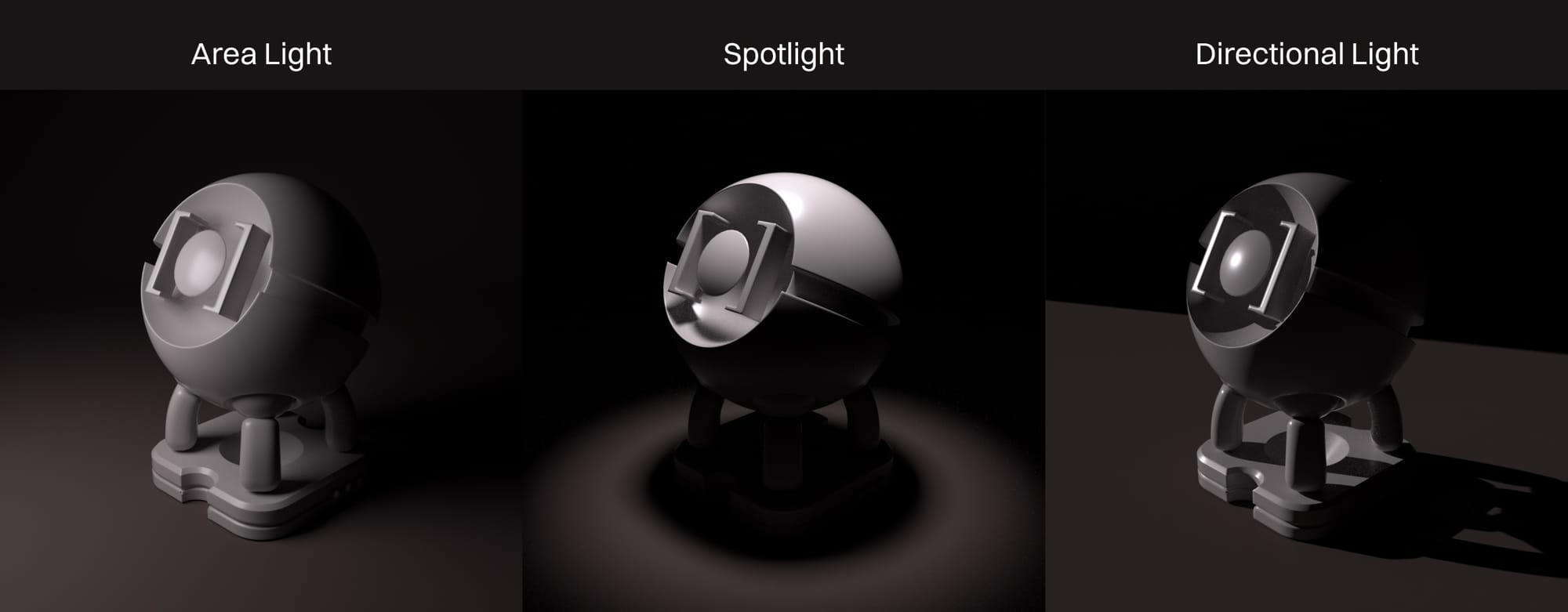 Physical lights are things like area lights, spotlights, directional lights, and other dedicated light-emitting objects that are placed around the scene. There really are only two things to know right off the bat about them:
- In Octane, all physically-based emission works the same way. Light in Octane is produced when a polygon object has a material applied to it with emissive properties.
- Always striving for physically plausible lighting (Tenet #1) will save hundreds of hours of stress and frustration later.
That makes thinking about the lights in our scene a lot easier. Different light objects expose different controls, but we don't have to worry so much about using an area light instead of a panel with a material, or using a daylight environment instead of a directional light.
We do, however, need to worry about installing a small sun in our table lamp. Fighting too-hot emission is probably one of the most frustrating and time-consuming mistakes we can make in Octane. Remembering Tenet #1 and using real-world plausible values is the magic fix here.
Note: Octane has a whole toon light/material system that doesn't intermingle with or work the same way as everything else in the engine.
Emission in Materials
We can also make a model (or part of one) glow by putting a material on it and feeding a texture into its Emission channel via an emission node. To Octane, this is the same thing as an area light or an environment, it's just coming from different polygons in the scene.
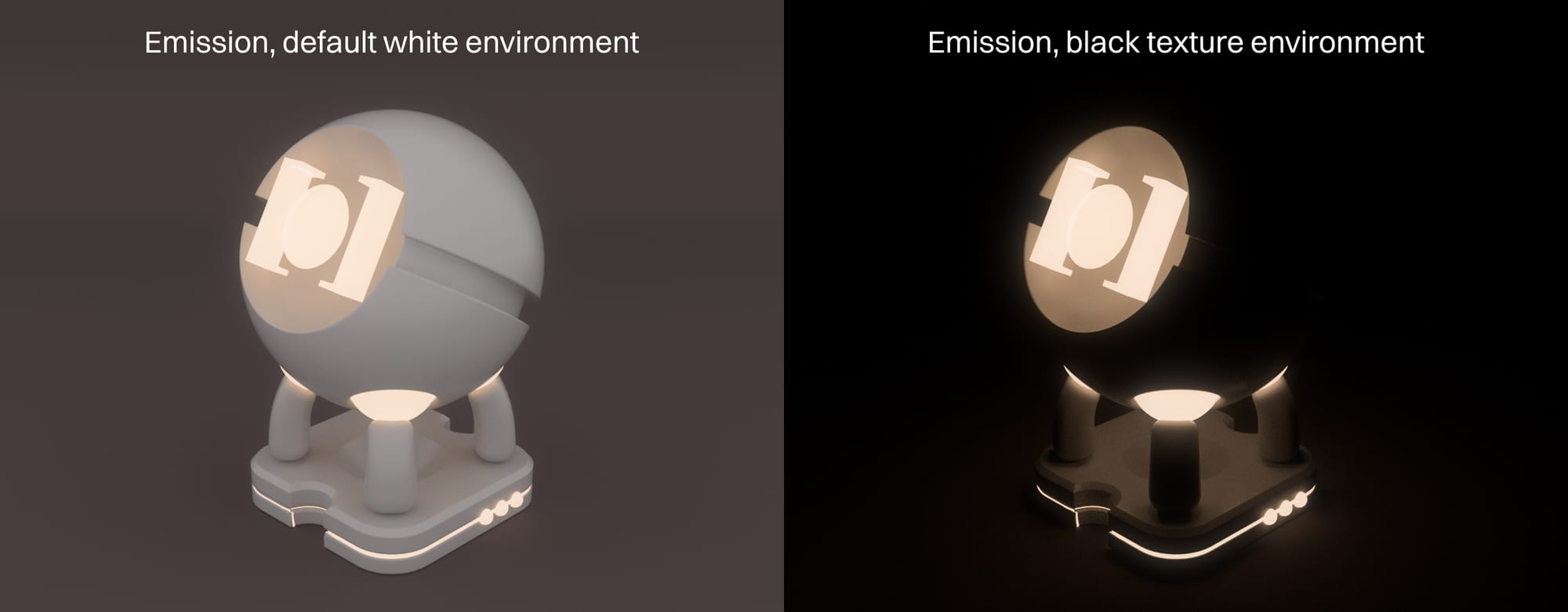
Important: One gotcha here is that the default environment in Octane is white in some DCCs. This environment does not get overridden if the only lights in the scene are emissive materials, so unless a black texture environment is dragged in or the default environment is set to black (in the global settings), it's going to be very difficult to light a scene this way.
Wrap Up
Now that we can actually see the objects in our scene, let's take a look at how the engine handles textures and materials.