Camera Overview
About This Guide
This is part of a conceptual, DCC-agnostic series on how OctaneRender works. This guide introduces the camera.
This guide is also available in 📄 PDF format here
Intro and Overview|Intro
The camera in OctaneRender is probably one of its most underutilized features. Most of the time, it's just dropped in, moved into position, and forgotten about. That's sad.
This isn't going to be a laundry list of settings and camera/lens properties - that already exists on this site. It's also not going to be a primer on photography for 3D artists - that also exists, and is highly recommended for readers of all skill levels. Unless you are the type of photographer that scoffs at autofocus and anyone who doesn't use M on the PASM dial, you'll probably find at least one new-to-you thing there.
Real-world Camera|Real-world Camera
The virtual camera in most 3D apps and render engines uses the same physical optics calculations that actual real-world cameras and lenses do. Not only is this convenient (all the math exists), but it also makes the experience of using the app far more comfortable to the user who is used to walking around in the real world or sometimes looking through an actual camera.
This also gives us a big advantage when compositing 3D into shot footage or a photo. If we know a handful of settings that were used in the real camera, we can punch them into the ones in the virtual camera, and voila, it matches!
Well... it might match if everything else in the scene is to scale.
Important: Tenet #1 (always use real-world values) here is crucial. If our objects in the scene are at real-world scale, then the settings on the camera will behave like they do in the real world. If they're way off (a 10-meter tall person or a 10-cm tall car), we're going to have to wing it and hope for the best, and it'll be frustrating.
Perspective & Focal Length|Perspective & Focal Length
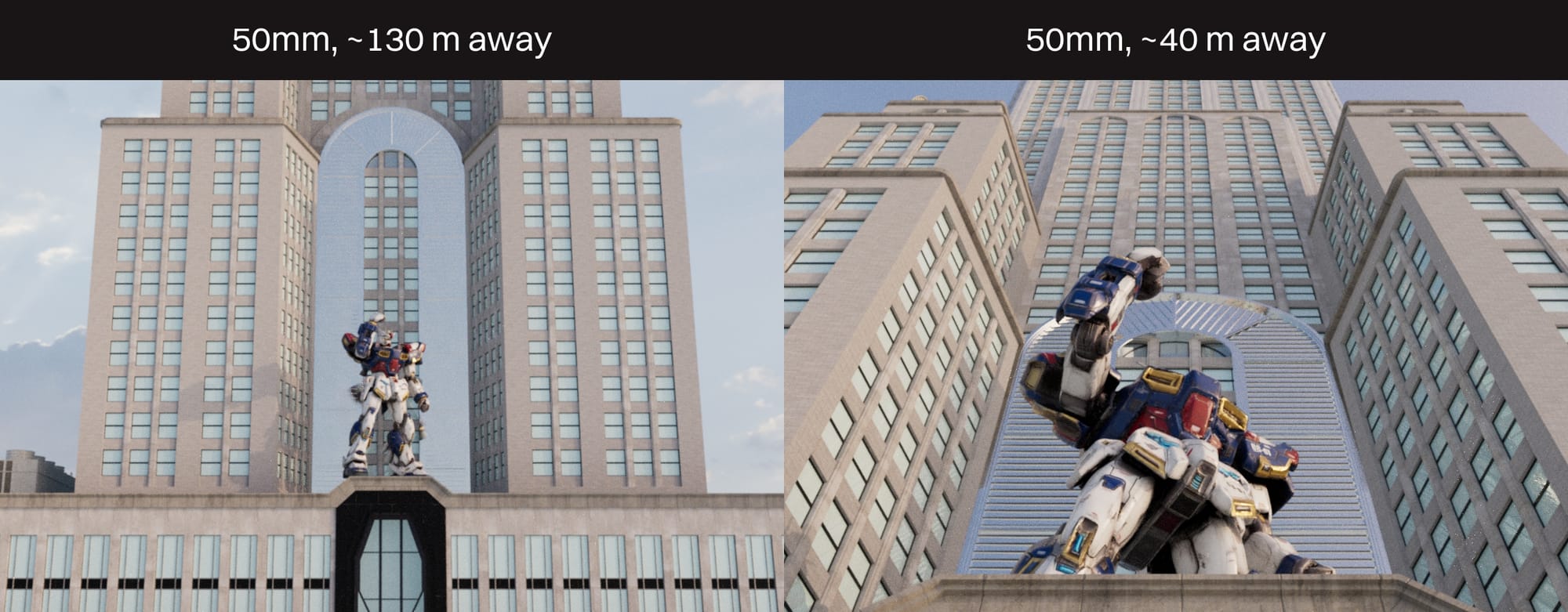
The distance between the sensor (or retina) and the subject we're looking at creates a phenomenon called "perspective." This is something we're used to experiencing even without a camera, but we don't realize it because it's just part of everyday life. If we take an object and put it a few inches from our face, the proportions of it will appear very different to us than if we place it way out in the distance and view it from afar. It's much easier to see this in action if we're looking at a huge object like a building rather than something that fits in our hand like in the illustration above.
Sometimes it's not practical to spend two hours in traffic to get to a vantage point where we can see a whole building. Sometimes the perfect vantage point would put us in the middle of an ocean, behind another large object or close enough to spook our subject and make it jet off before we can capture it. In cases like that, it's handy to have the ability to shift the amount of stuff we can get in frame.
Enter optics. In real life we can pick up a pair of binoculars or put a different lens on our camera, and suddenly we're far better equipped to observe or capture a tricky subject. The main characteristic of the lens that allows this to happen is the focal length, and that's always the #1 setting to alter when we drop a virtual camera into a scene.
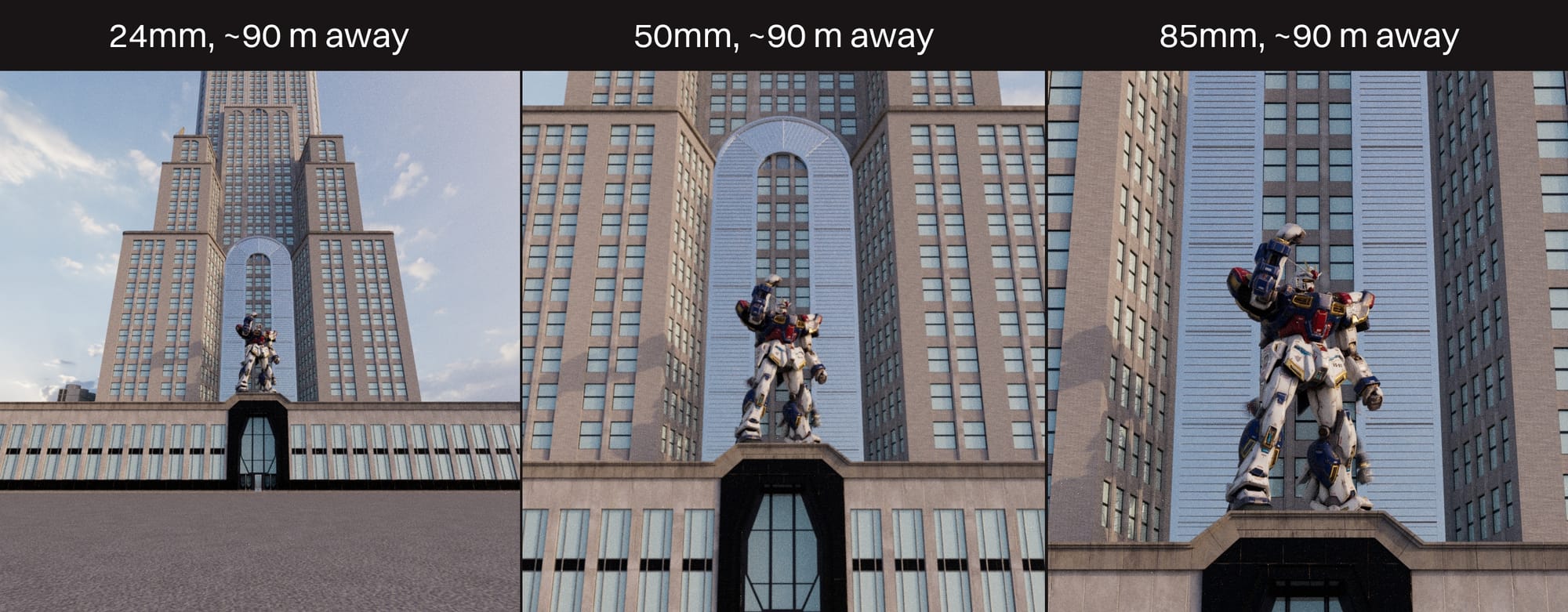
Wider lenses (24-35 mm) are much better at epic landscapes and street scenes. Normal lenses (45-55 mm) are as similar as we can get to how we actually see. Short telephoto lenses (60-120 mm) are super flattering for portraits. Super telephotos (200 mm+) allow us to see detail on tiny birds on trees way out in the distance.
This comes at a cost though, and that's distortion. Objects seen through a 24 mm or 120 mm lens don't look the same as if we were to walk closer or further back to get the same amount of stuff in frame.
Fortunately, for the past hundred or so years, we've been used to looking at objects in photos and movies through various lenses. It's become second nature to us, so if we use the same focal lengths in our renders that photographers and cinematographers use in their gear, the images may not look correct, but they will look right, which helps sell them as realistic.
Lens Characteristics|Lens Characteristics
Now that's only part of the story - the glass (or plastic) in real-world lenses isn't perfect. It can't be. When light travels through glass, or some other transmissive material, it has to warp or bend or split apart at least a tiny bit. The more we advance our tooling and material science, the more these things are corrected for, but there are some tradeoffs we'll probably never be able to get around.
One of Octane's key differentiators is that the camera can simulate several types of distortion and optical quirks like barrel distortion, coma, and astigmatism found in real camera lenses.
"Why would we want that?" A reasonable person might ask...
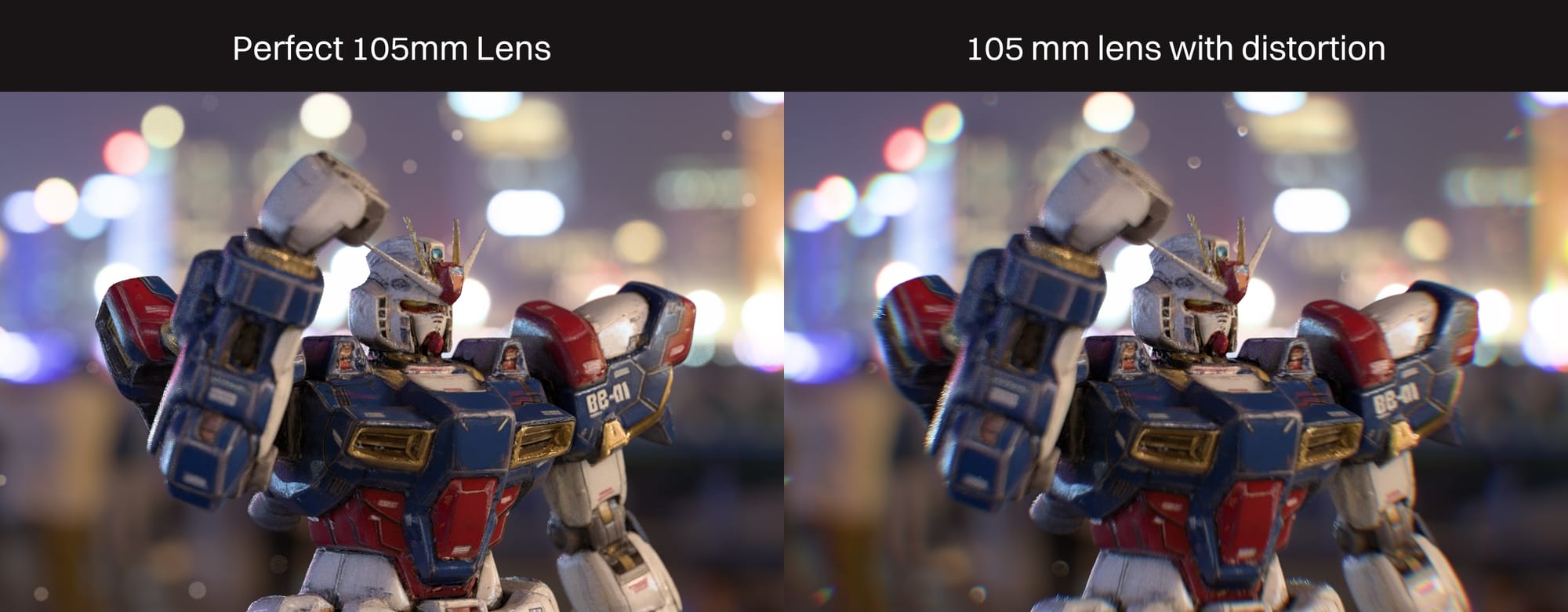
We've already established that we've been seeing imagery using different perspectives, but we've also been seeing it through this imperfect glass. If our digital glass is 100% perfect, our brains start to miss the little details they're expecting, even if we don't consciously realize it. Scenes like the one in the illustration above read just slightly better with a touch of distortion (look carefully at the bokeh in the out of focus areas). It's subtle, but every little bit helps.
So Tenet #3 has a special place here. If we introduce subtle imperfection into the camera system, it'll go a long way toward selling our renders as cinematic or photographic, and therefore more real, or at least more pleasing.
Imager and Post FX|Imager and PostFX
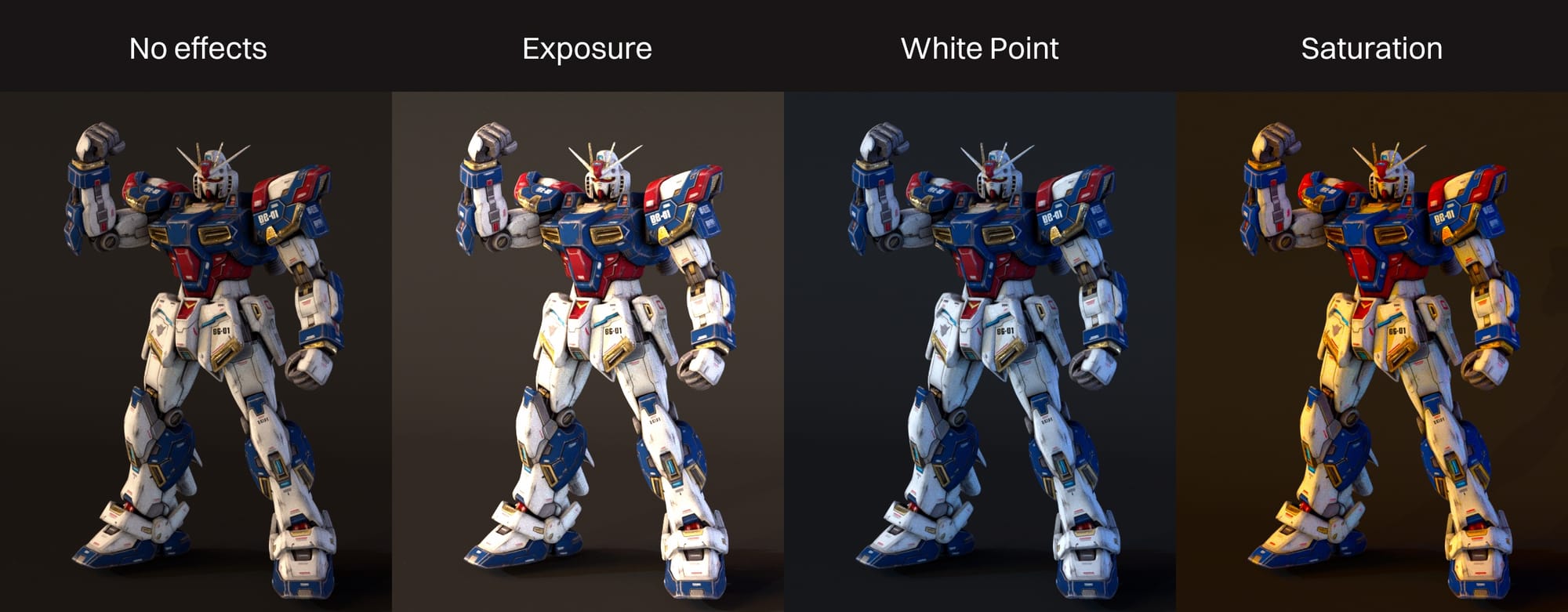
In addition to physical traits of the camera, OctaneRender also has a group of settings bundled into an area called the "Imager" that affects the entire image. These are things like exposure compensation, saturation, and white point which are usually found in the menus of a real camera instead of on (or in) the lens.
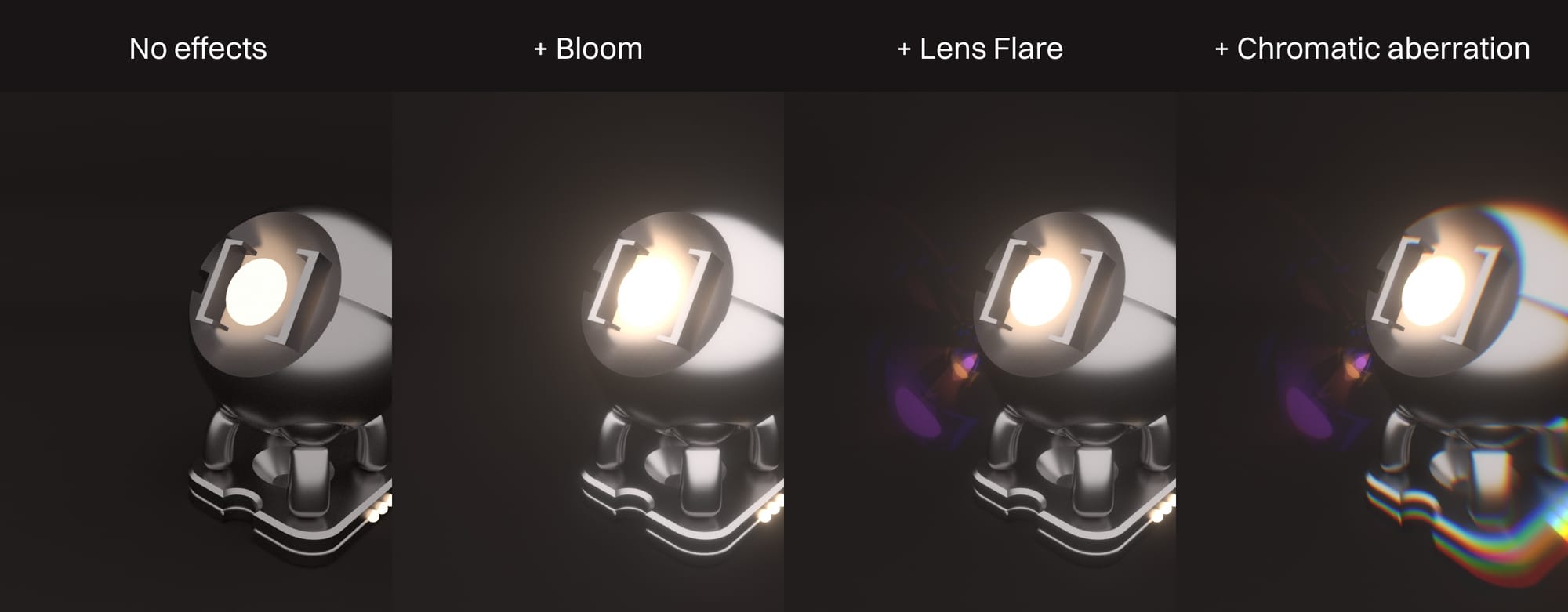
Then there's Post Processing effects. We'll get into post later in this series, but these are particular camera-related settings that are just not practical to physically simulate. Bloom and glare are the most recognized ones, but there's also post-based chromatic aberration, spectral shift, and lens flare.
Wrap Up
Most of this was just about awareness and understanding that the camera in OctaneRender is a first-class citizen, not just an afterthought. Next up we'll see how this all comes together for a render.